NEW
Blur Gradient Component
This is a blur gradient component for Framer that you can just easily drag and drop onto your canvas. Place it over any element to add a progressive blur effect to it.
About the resource
The component is fully customizable through component properties, so you don't have to touch any code.
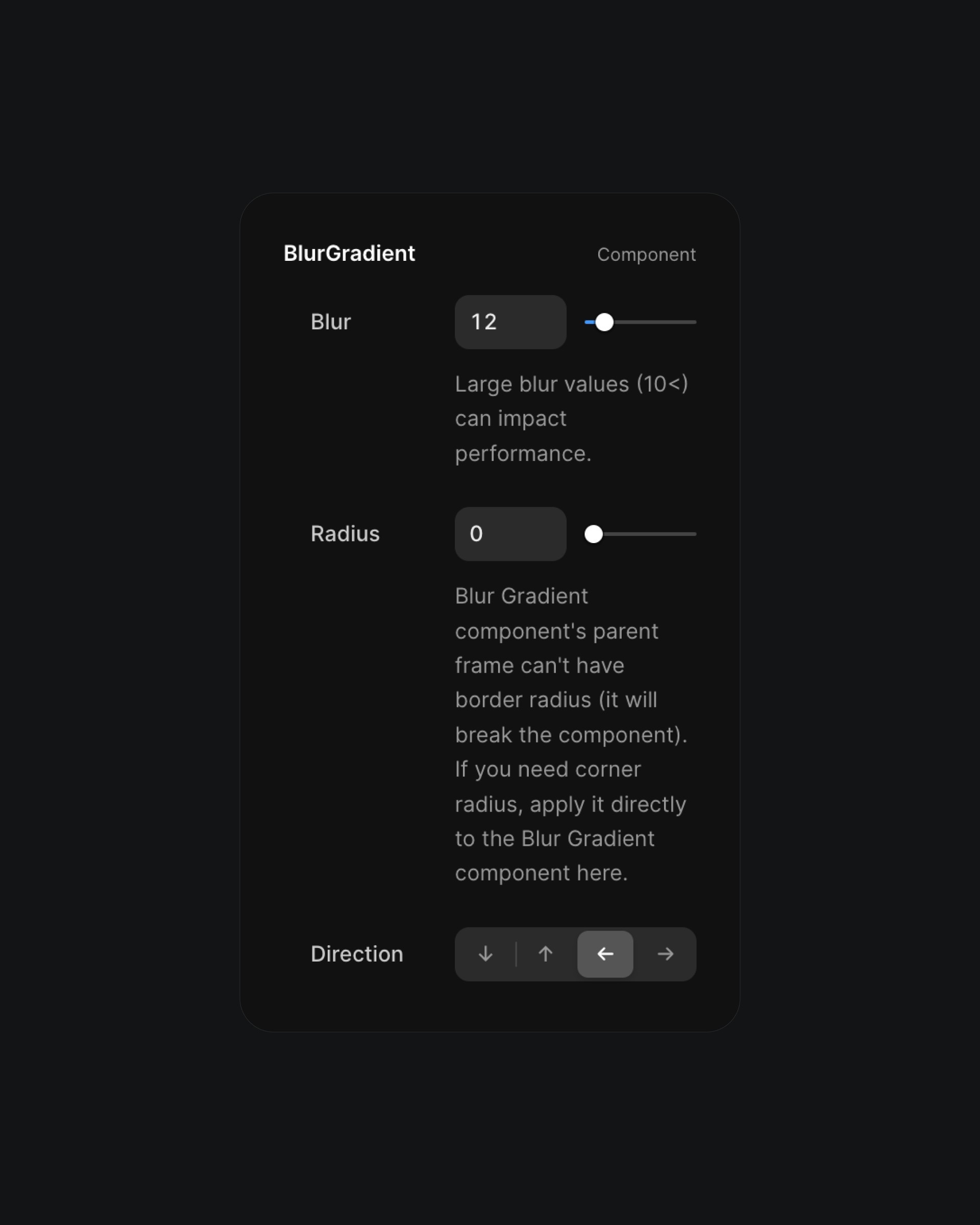
Blur gradient component properties.
Firstly, you can adjust the blur amount. What's really cool about this component is that it doesn't just apply a mask to a single frame with a fixed background blur value. Instead, it calculates progressive blur values dynamically, achieving a more refined effect.
Here's how it works:
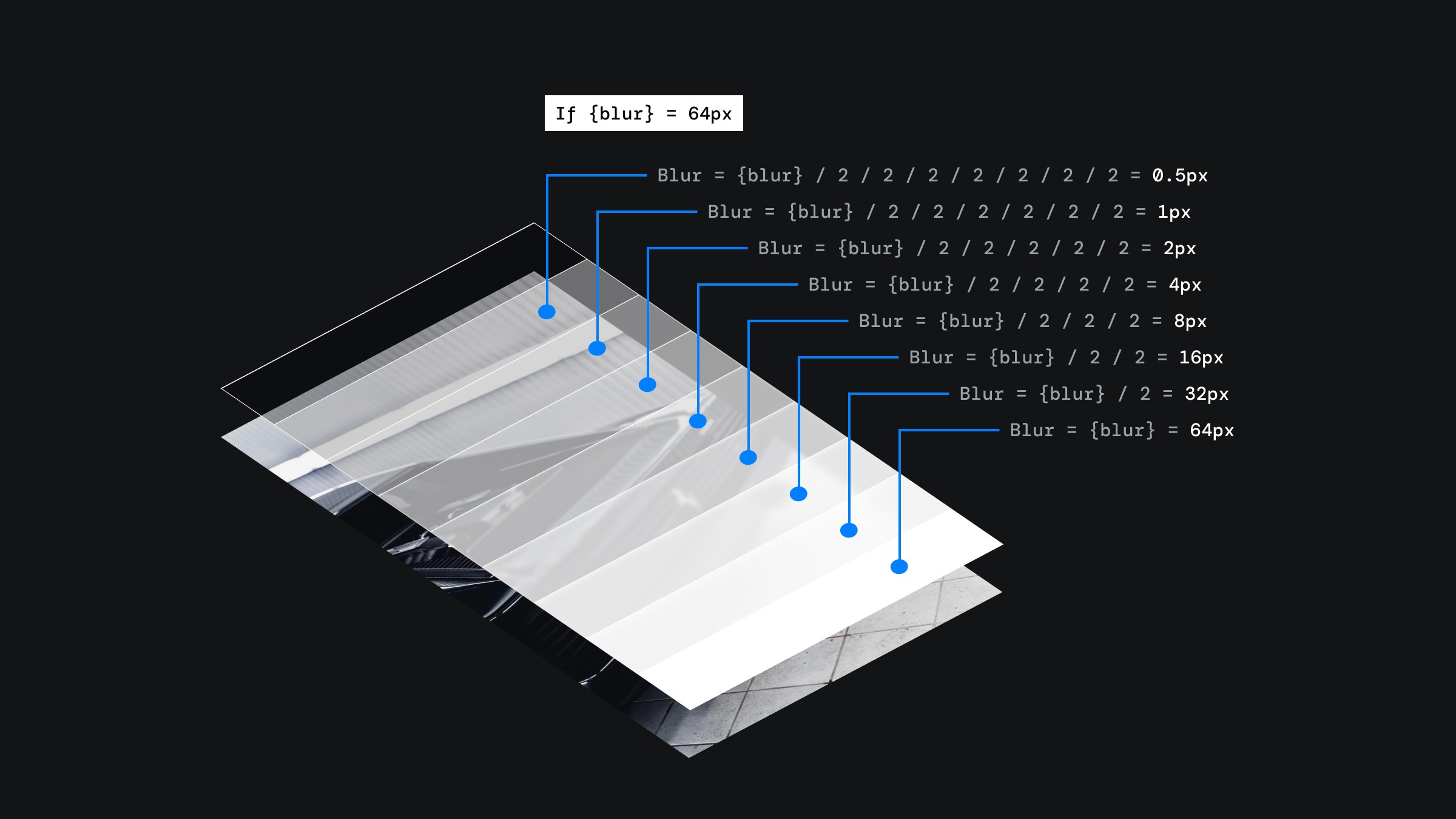
Progressive blur component structure.
You can also mess with the corner radius for the blur gradient component.
Important: The parent frame of the blur gradient component can't have a corner radius 'cause it'll break the component. So if you want a corner radius, make sure to slap it on the blur gradient itself through its properties, and keep the parent's radius at 0, no exceptions.
The last thing you can fiddle with is the blur direction. Maybe you wanna blur the lower part of the component, or the top, left, or even the right.
Bài trước
Bài kế tiếp